
Sign up for landplan.io
You need an account to make projects and designs in landplan.io. You can sign up with Google, with Facebook, or with your email and a password. Every new account starts with a 7-day free trial, and you don't need a card to start it.
Create your account
Open landplan.io/auth/register, or click the sign-up button on landplan.io. On the sign-in page, click Create an account.
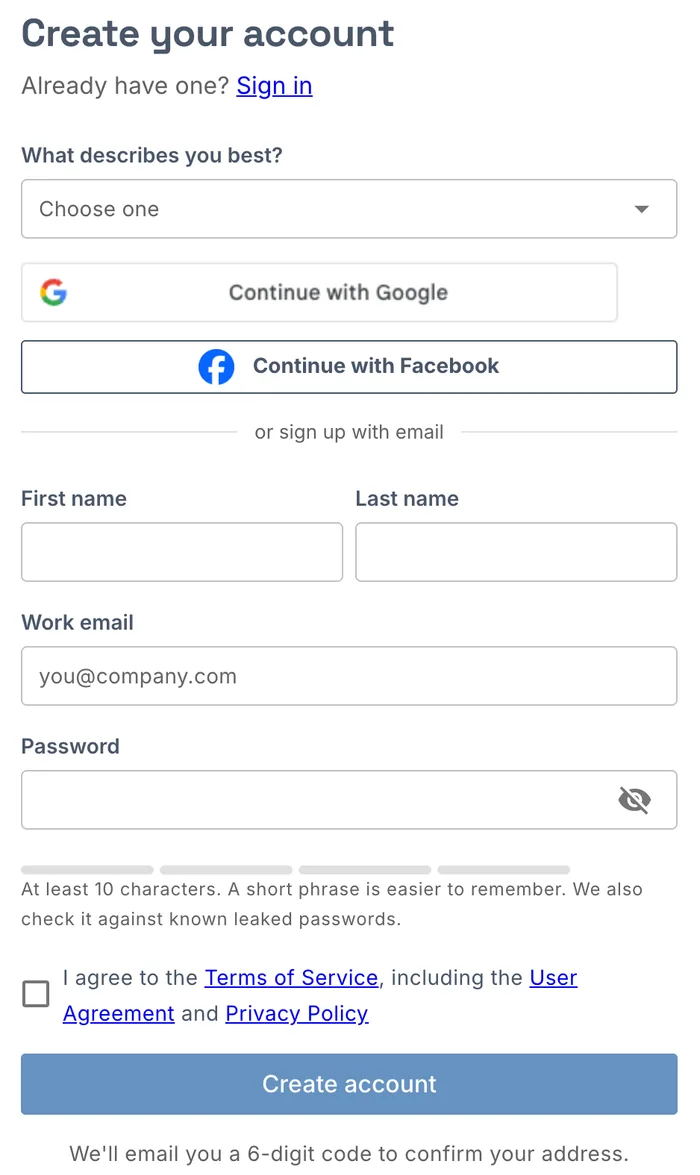
Under What describes you best?, click Choose one and pick what you do. See What describes you best.
Click Continue with Google or Continue with Facebook. Or, under or sign up with email, fill in the form:
Field What to enter First name and Last name Your name. It goes on your profile and on the title block of your plans. Work email The address you sign in with. We send the confirmation code to it. Password At least 10 characters. The bars under it show how strong it is, from Too short to Strong. Passwords found in known data leaks are refused. The eye button shows or hides what you typed. Tick I agree to the Terms of Service, including the User Agreement and Privacy Policy. The links open the agreement. Create account stays off until you tick it.
Click Create account. Creating your account… shows while it works.
With an email sign-up, we then email you a 6-digit code: see Confirm your email.
If someone invited you with their referral link, a green banner at the top of the form says who invited you and what you get, for example 10% off your first 12 months after the free trial. See Referral program.
If an account already uses that email, you see a message: click Sign in (Already have one?) instead.
What describes you best
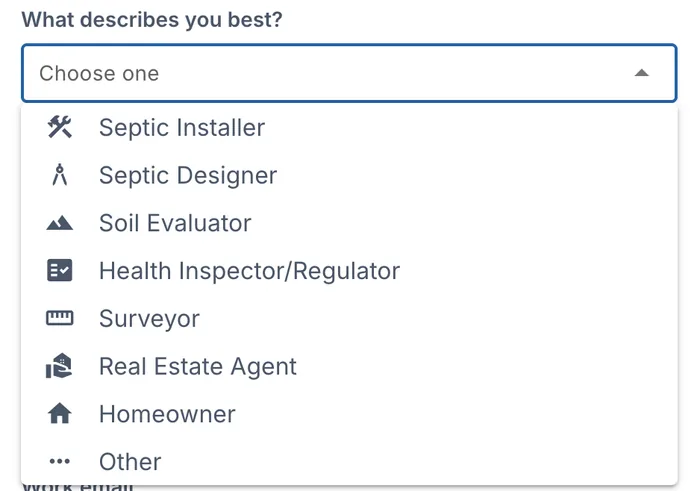
The first question on the sign-up page picks the first step we show you after you sign up. You can change it later in your profile.
| Choice | Where you start |
|---|---|
| Septic Installer, Septic Designer, Soil Evaluator, Health Inspector/Regulator, Surveyor, Real Estate Agent, Homeowner | The Projects page, to start a design. |
| Other | The Projects page. Type what you do under What do you do?, for example Septic pumper. |
You must pick one before Create account works. With Google or Facebook you can skip it: right after signing up, the window One more thing: what describes you best? asks it. Pick a choice and click Continue, or click Not now to go to the Projects page.
Sign up with Google or Facebook
Click Continue with Google or Continue with Facebook on the sign-up page, and pick or sign in to your account in the window that opens. Your landplan.io account is made from it, with its name and email, and you are signed in at once. There is no code to enter, because Google or Facebook has already confirmed the address.
The same buttons sign you in next time. To sign in with your email as well, add a password under Change or set your password (Set a password).
Confirm your email
After an email sign-up, you are signed in, a message says Welcome …, your free trial has started, and the Verification required page opens. We have emailed you a 6-digit code.
- Open the email from landplan.io. If it isn't there, check your spam folder.
- Type the code under Confirmation code, then click Confirm email. Or click the button in the email: either one works.
- Email verified shows, and the app opens at your first step. Click Continue to the app if it doesn't move on by itself.
On the Verification required page:
- Send a new code emails you a new code. Use the latest email.
- Already verified? Continue checks again, if you confirmed the address in another tab or on another device.
- We couldn't verify your email means the link has expired or was used already. Send a new one.
Until your email is confirmed, the app brings you back to this page.
Sometimes we can't tell that the sign-up was made by a person. The account is still made, but the page Finish creating your account opens instead: enter the code we emailed to sign in. It works once and expires in 10 minutes.
Your free trial
The trial starts when you create your account and lasts 7 days. You don't need a card for it. Your plan shows Trial on the Billing page.
When the trial ends, the app opens Choose your plan, with Your subscription has expired: The trial period ended: choose a plan to keep using landplan.io. Pick a monthly or yearly plan, or the Basic plan with project credits. See Change your plan. Your projects are kept.
After you sign up
Where you land depends on what describes you best:
- Everyone goes to the Projects page. A new account sees the Get started with Smart design checklist there. Click New project to start your first design: see Getting started.
If you were on a page before you signed up, for example a design you started on the home page, you go back to it.
Next, fill in your company and design setup, so your plans are ready to print: see Your company and Design setup.
Sign in
Next time, open landplan.io/auth/login and sign in the way you signed up: Continue with Google, Continue with Facebook, or your Email and Password. You can also click Email me a sign-in code instead to sign in without a password.
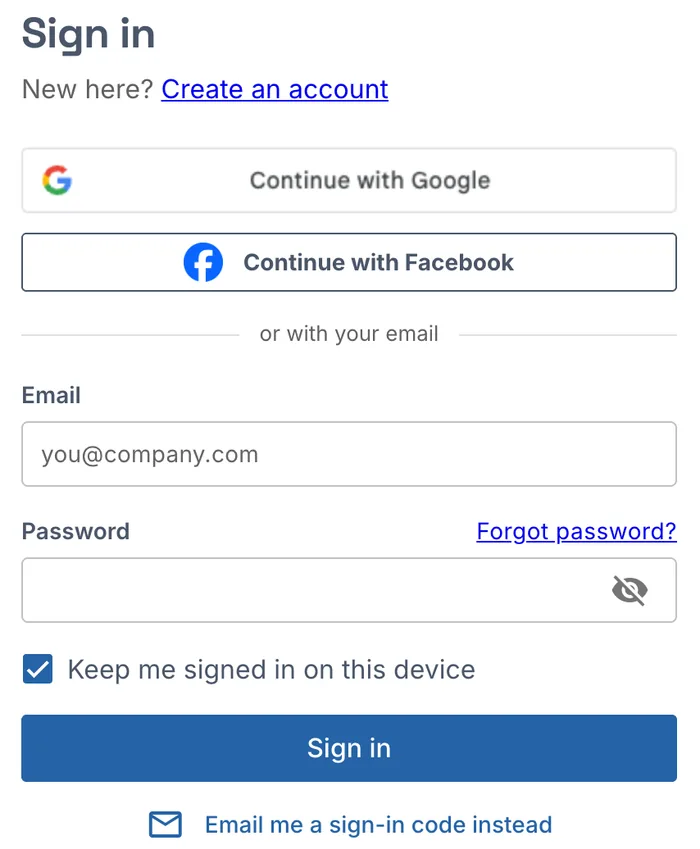
See Signing in and account security for signing in with a code, a forgotten password, changing your password and the devices you are signed in on.