
Drip Distribution
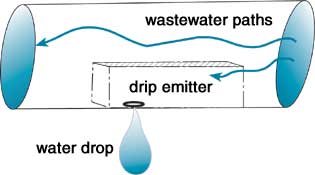
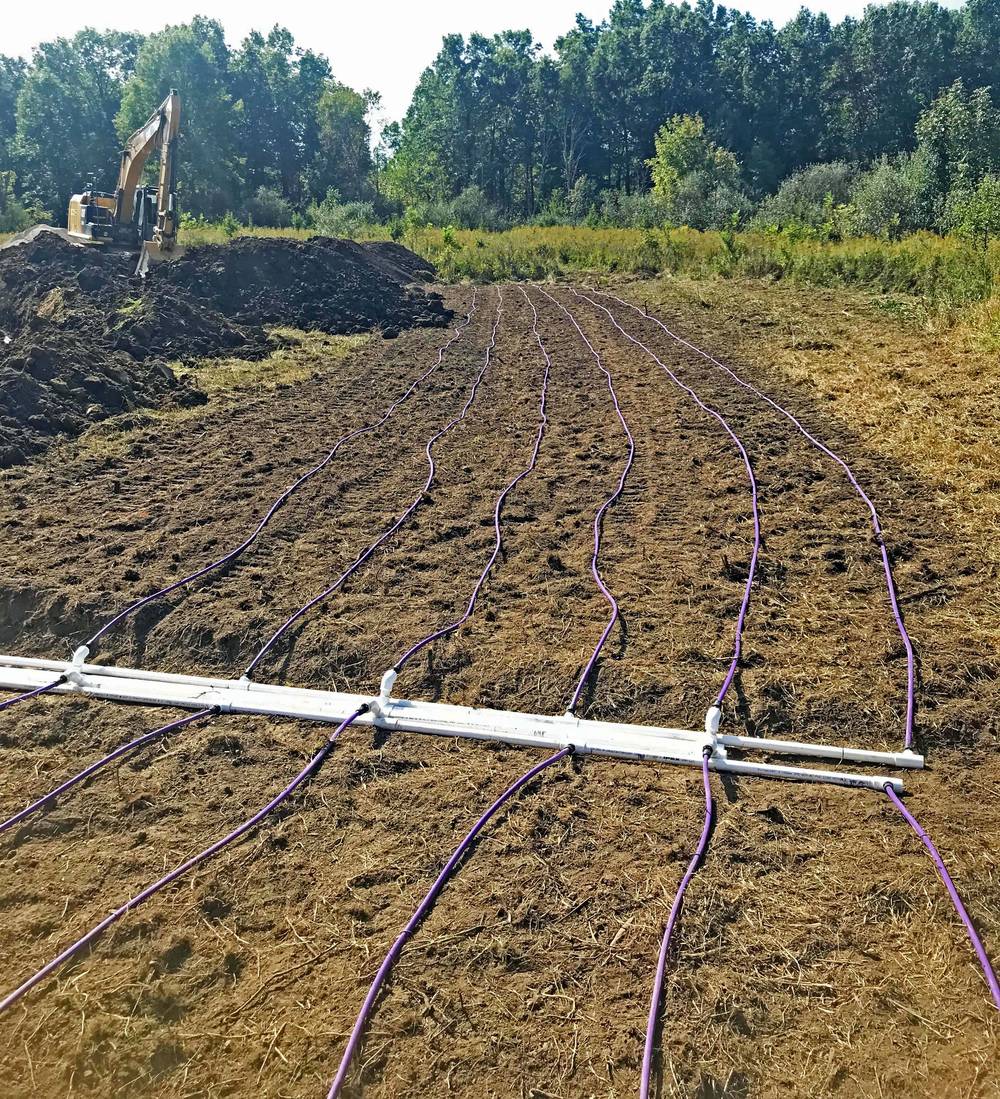
A drip system (code Drip) applies small doses of effluent through drip tubing: small flexible pipe with emitters built in, laid in shallow rows just under the surface. Each emitter lets out a steady trickle, so the effluent spreads evenly over the whole area.
Drip systems often suit tough sites: steep slopes, heavy woods or shallow soil. They usually need more equipment than other systems: advanced treatment before the tubing, filters, valves and a timed-dosing control panel.
The parts a drip system shares with other systems are described in Common Components.
How it works
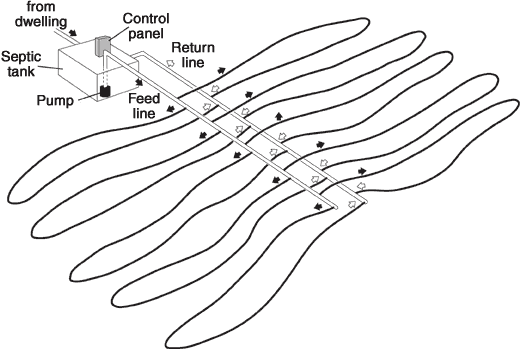
Drip is a form of pressure distribution, used for decades to put effluent into clay soils. A pump doses the effluent into pressurized tubing, and the pressure-compensating emitters drip it out slowly, at a low loading rate (about 0.25 gal per sq ft a day in Ohio).
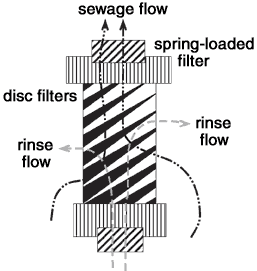
The field is split into zones. Each zone takes part of the daily flow. A headworks sends each dose to one zone, through solenoid valves that open electrically, and filters the effluent through a disc filter first.
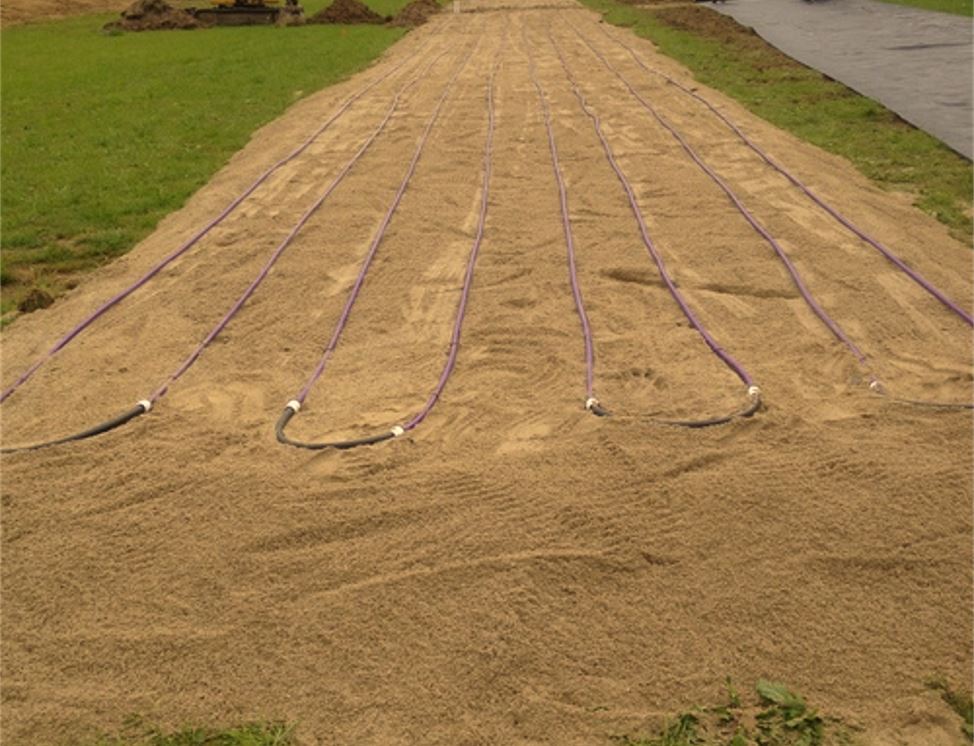
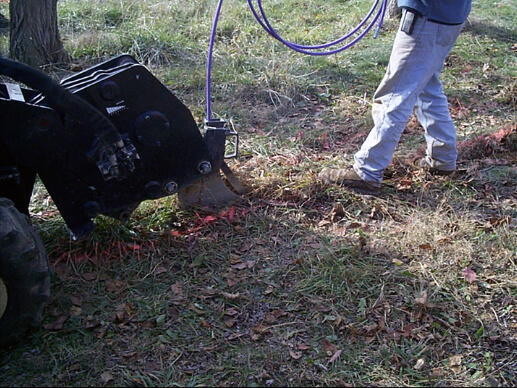
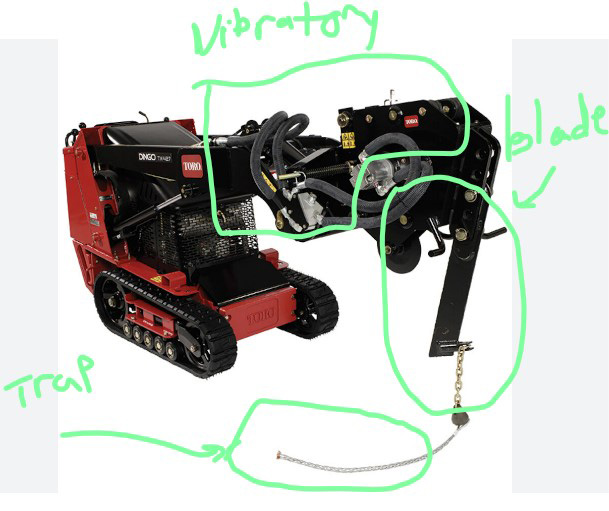
The tubing can be laid in wooded areas or plowed into the ground with a vibratory plow. Some areas require sand under the tubing.
Drip components
| Part | What it is | In landplan.io |
|---|---|---|
| Supply line | Pressure pipe from a zone valve to the drip runs. | A Supply Line pipe (Supply & Return Line) |
| Return line | The pipe that brings the flush water back from the end of the runs. | A Return Line pipe |
| Dripper line | Small diameter tubing with pressure-compensating emitters, sold by flow rate. | The drip runs of the system |
| Zone | A drip field with its own solenoid valve. | A bed of the system |
| Headworks | A plug-and-play unit with a disc filter and one solenoid valve per zone. It needs power, frost protection and enough pressure. | A Headworks distribution method (Distribution Method) |
Design a drip system in landplan.io
- Add the soil test, the house, the sewer main, the tanks (with any treatment unit) and the dose tank. See Septic Design.
- In Tools > Septic design > System, click Trench and draw a line along the contour at the top of the drip field. See Trench Tool.
- Click Contour and choose the drip system, for example Drip Distribution System. Set it up in the Design form and click Draw System.
- Click Distribution and add a Headworks, with a manifold to each zone. See Distribution Method.
- Draw the Force Main from the dose tank to the headworks, and the supply and return lines.
- Open Details to size the zones, the drip runs and the pump. See Pressure and Pump.
For each step of the contour tool, see Contour Systems. The editor has a Run view for drip systems: the profile along one drip run.
The drip form
The fields come from your area's configuration, and so do their defaults. These are the main ones:
| Field | What it sets | Typical default |
|---|---|---|
| Drip Tubing Name | The tubing and its emitter flow, such as Geoflow Wasteflow PC 1 gph or Netafim Bioline® Dripline 0.6 gph. | Geoflow Wasteflow PC 1 gph |
| Drip Zone Configuration | Looped Center Feed, Looped End Feed Right, Looped End Feed Left or Direct End Feed. | Looped Center Feed |
| Design Length on Contour and Drip Run Length | The length of the field and of each run. | Your line's length |
| Drip Runs and Drip Run Spacing | How many runs, and how far apart. | 2 ft apart |
| Emitter Spacing | The distance between emitters along a run. | 1.5 ft |
| Plowed Depth Into Existing Soil | How deep the tubing goes into the soil. | 0 in |
| Sand Fill Height | Sand under the tubing, where your area requires it. | 0 in |
| Depth Soil Cover | The cover over the tubing. | 8 in |
| Air Release Valves Per Zone and Observation Ports Per Zone | The fittings of each zone. | 1 each |
The bar along the bottom gives Required Distribution Area, Number of Zones, Area Per Zone, Total Computed Area, Total Emitters Per Zone and Estimated Sand Ton.
Your area's rules decide some values for you:
- Loading rate. Ohio uses a fixed 0.25 gpd/ft² for drip.
- Sand. In Ohio the sand depth comes from the soil test's depth credit, or is at least 4 in under pretreated effluent and 6 in under septic tank effluent. Elsewhere it is your form's default.
The laterals of a drip zone must be of equal length for even dosing, so a drip system doesn't use Follow contour.
What Smart design and Auto design do
Both can generate a drip system from your configuration's drip form. A drip system is always pressure dosed, so they add a dose tank, the distribution and the force main. In Auto design, choose Drip (Drip) under System, or leave Best for the site.
See Smart Design and Auto Design.
Oscar drip systems are a proprietary drip product some areas list. Smart design shows them as Allowed · tools: draw them with the map's tools.
Checks
The editor checks the drip field as you design it:
| Check | What it compares |
|---|---|
| Vertical separation to the limiting condition | The soil under the tubing against the separation your area requires. |
| Cover over the drip tubing | The cover (and any sand) against the minimum. |
| Drawn length matches the design | The line on the map against the design length. |
| Limiting condition from a soil test | Whether the limiting condition was observed, or is a design value. |
In Details, Pressure & Pump checks each drip run: its length, tubing, emitter spacing, required distal head and flow. The checks warn when a run is outside your area's rules.
In the report
- Cross Section (CS-1): the section through the drip field, with the tubing, any sand and the cover.
- Top View (TV-1): the zones and runs from above.
- Hydraulic Profile (HP-1): the house, the tanks, the force main and the field, with the total dynamic head.
- Dosing Detail: the dose, the timer and the pump curve.
- Calculations: the flow, the soil, the zones and the pressure network.
See The report sheets.
Drip design
TIP
Drip design is in the System group. It lays out zones on the map, but it doesn't size them from the soil test or check them against your area's rules: design and check the drip system with the contour tool and Details.
Drip design lays out drip zones freehand: you draw the outline of a zone, and it fills the zone with rows of drip tubing and gives the tubing, the emitters and the flow.
- Click Drip design in the System group. The Drip Designer panel opens.
- Pick the Drip tubing: Geoflow Wasteflow PC (1 or 1/2 gph) or Netafim Bioline® Dripline (0.4, 0.6 or 0.9 gph).
- Pick the Emitter Spacing (inches): 6 to 36 in. The default is 12 in.
- Enter the Drip Line Spacing (ft), the distance between rows. The default is 2 ft.
- Click Draw Zone, then click the corners of the zone on the map. Double-click to finish.
The rows run parallel to the zone's longest side, at the Drip Line Spacing, and a short manifold joins them near the middle of the zone. The panel then lists each zone with its Area, perimeter, Drip tubing length, Manifold length, number of Emitters and Flow (gph and gpm). Click Zoom to see a zone on the map, or Remove to take it off.
The summary adds up every zone: Total area (all zones), Total drip tubing, Total manifold and Maximum flow (GPH).
The flow is the number of emitters times the emitter flow: for example, 400 ft of tubing with emitters every 12 in has 400 emitters, and at 1 gph each the zone needs 400 gph (6.7 gpm).